Prerequisites: In the unlikely event that this format is hidden, please contact the customer support team to enable it for you.
The one-topic format is a version of the Topics format that presents the course sections on tabs.
There are three ways it can be displayed:
1. None
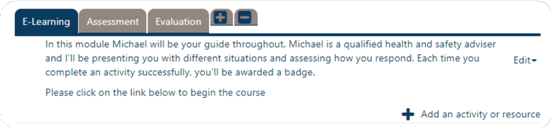
2. Vertical
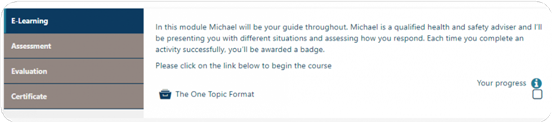
3. Enhanced
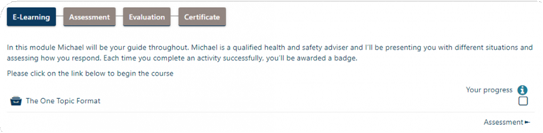
The appearance is set at site level so you can only choose one to display for all courses created with this format. By default it will be set to None, so if you would like to change this to Vertical or Enhanced, you will need to contact us via the support desk.
The following configuration options apply to the one topic format:
Hide tabs bar: Choose whether you would like to hide the tabs bar so users can navigate only with the sections navbar.
Visualization mode of section 0: Choose whether to display section 0 as a first tab or as a section before the tabs bar.
Use topic summary as template: If enabled, the summary topic is used as a template. This means you can include the resources in the content, not just as a list. To include a resource, write the resource name between double brackets, for example: [[News forum]]. This functionality is similar to activity name filter, but you can also choose if the resource icon is included and decide which activities are to be included.
Show icon in resource links in summary: Choose whether the icons are displayed in the summary when it is a template.